How about dinner?

Plan meals together with a shared recipe box, a flexible menu, and one live shopping list.

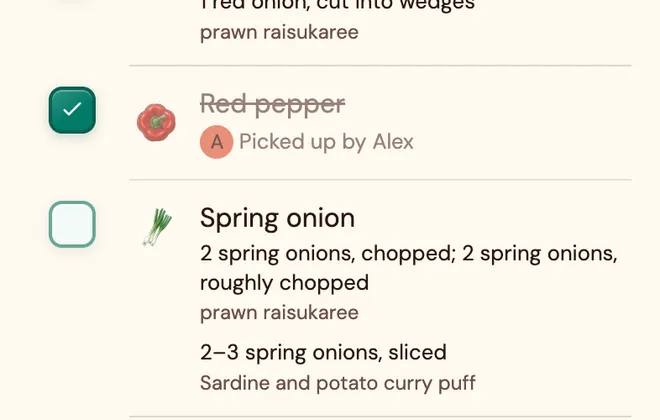
Alex picked up peppersEveryone's list updated
Set up your group (free)

No app-store download or payment card required.

By continuing, you agree to the Terms and have read the Privacy notice.

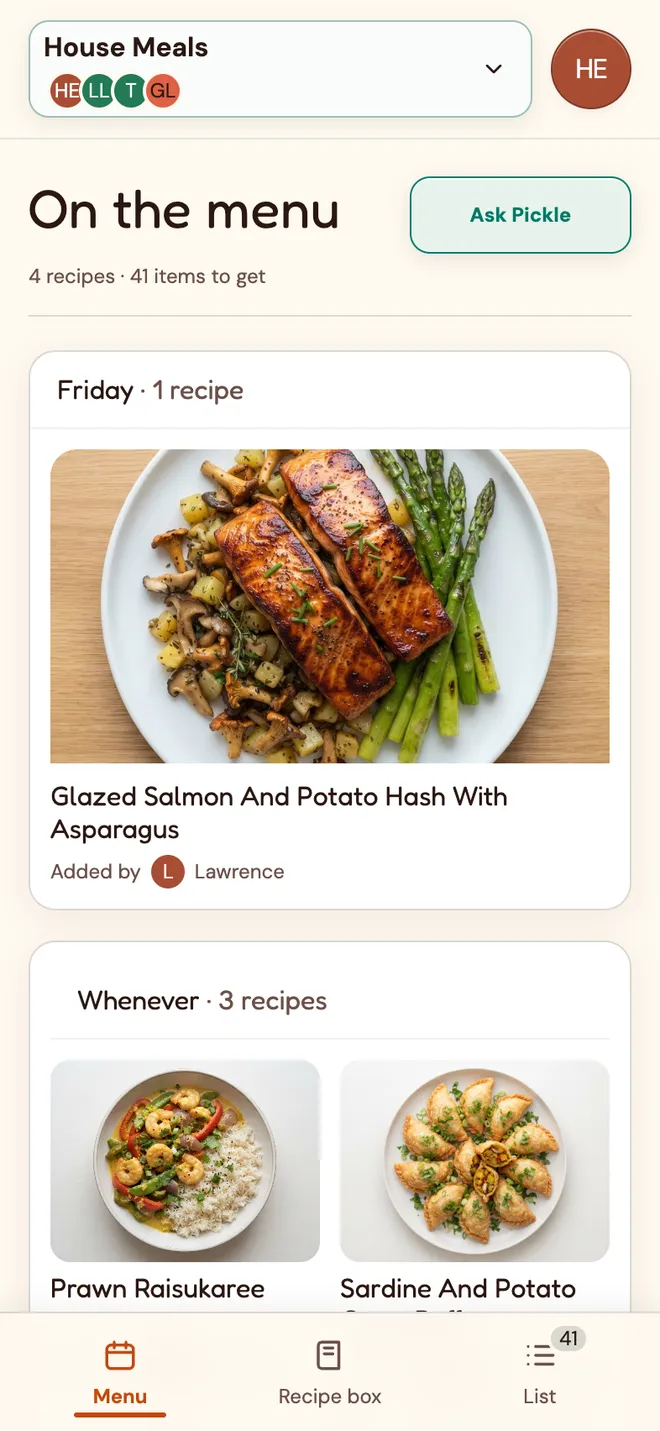
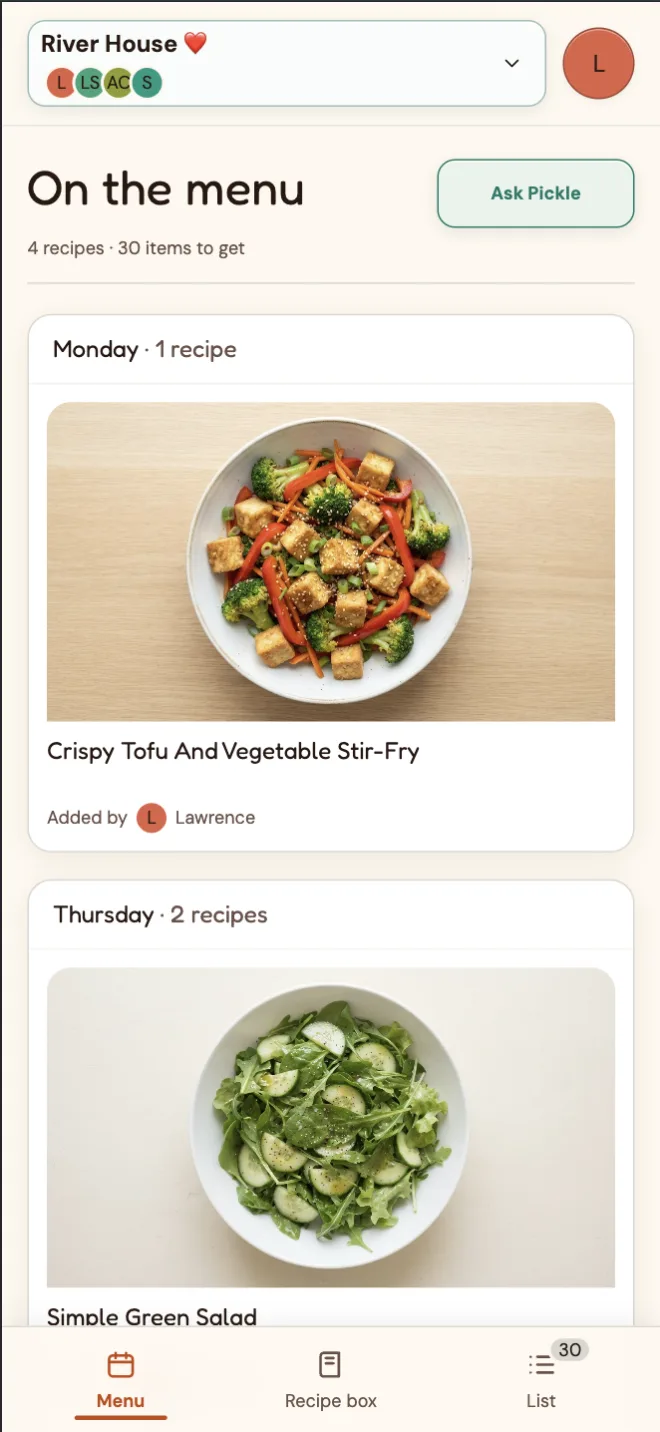
A shared menu with glazed salmon for Friday and three more recipes for whenever
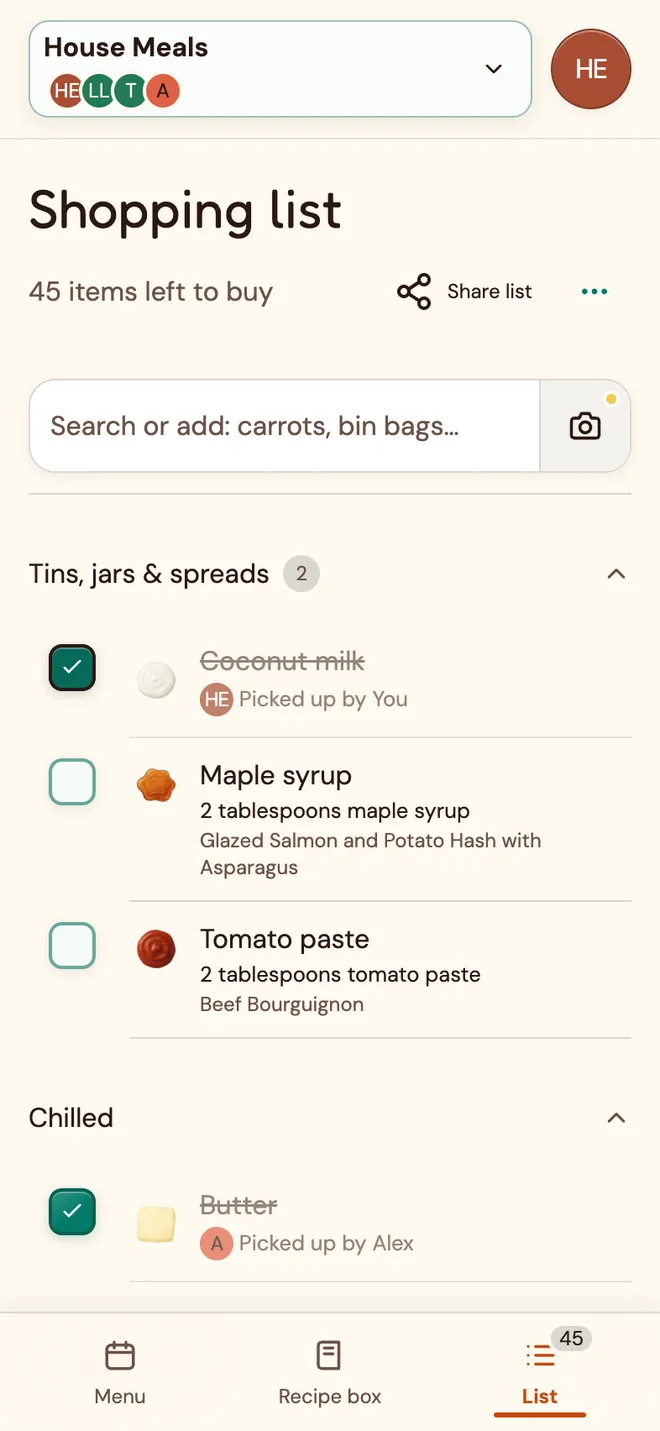
The House Meals shared shopping list, with items picked up by You and Alex and other items left to buy

Choose together.Shop one list.See who got what.

Your group’s recipes go on one menu, their ingredients land on one shopping list, and everyone can see what’s been picked up.

  1. 01

    What’s for dinner?

    No need to ask around. Build a shared cookbook, add recipes to one menu, and your partner, flatmates or whole group can see the plan.

  2. 02

    What do we need from the shop?

    Your menu writes the shopping list. An ingredient two recipes need shows up once, with both recipes beside it.

  3. 03

    Did anyone get the peppers?

    Tick items off as you shop, and everyone sees who picked up what straight away.

No more recipes lost in group chats.

Collect favourite meals together from links, photos of recipe pages or by typing them in. Keep the recipes in one place, ready to choose what to make instead of searching screenshots and chats.

  • Add recipes your wayUse a recipe link, a page photo, or manual notes.
  • Share favourites with your groupAdd recipes to the group Recipe box for everyone to find.
  • Find meals that fitSearch by ingredient or browse quick-prep and batch-cook ideas.
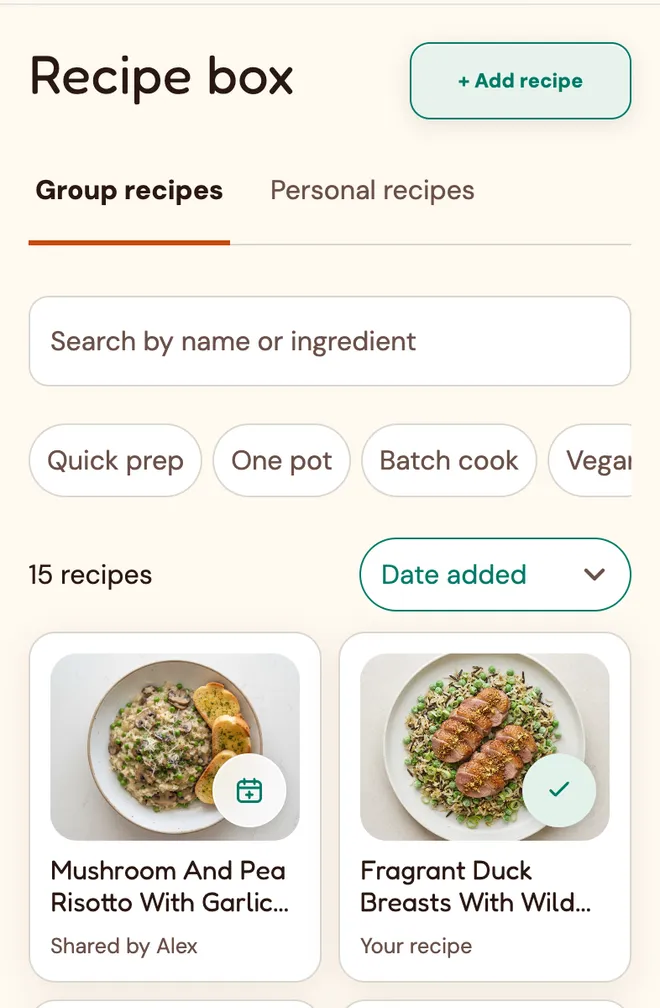
The ‘Group recipes’ tab shows one card marked ‘Shared by Alex’ and another marked ‘Your recipe’.
Your group’s favourites, easy to find again.

Meet Pickle, your group’s sous-chef.

Pickle, your AI recipe assistant, helps you find inspiration in the group’s Recipe box, see what goes well together, or create and refine a new recipe.

Entry

The Pickle conversation opens with “What should we cook?” and three choices: Paste a link, Add recipe pages, and Type manually. The composer says “Cook anything”, with Attach recipe photos below it. The header shows Start over.

User asks: What's on the menu this week?

Pickle replies: “Here’s what’s on your Menu:”

  • Glazed Salmon and Potato Hash with… — On the menu · Fri
  • prawn raisukaree — On the menu · Any day
  • Sardine and potato curry puff — On the menu · Any day
  • Beef Bourguignon — On the menu · Any day

User asks: What else can we add from our recipes?

You have 11 recipes not currently on your Menu. Here are some options:

  • Mushroom and Pea Risotto with Garlic Bread
  • Fragrant duck breasts with wild rice pilaf
  • French beans and mangetout with hazelnut and orange
  • Grilled Cod Fish Tacos
  • Tomato and Onion Salad Recipe
  • Ham and Cheese Toasties
  • Mushroom and Pea Risotto with Garlic Bread — Saved recipe · Open to add to menu
  • Fragrant duck breasts with wild rice pilaf — Saved recipe · Open to add to menu
  • French beans and mangetout with hazelnut and orange — Saved recipe · Open to add to menu
  • Grilled Cod Fish Tacos — Saved recipe · Open to add to menu

User asks: Let's make something new, surprise me.

Pickle replies: Here is a fresh idea for a comforting roast dinner that comes together easily in one pan.

Lemon Roasted Chicken Thighs with Garlic and Rosemary

For the chicken
  • 4 bone in chicken thighs
  • 2 tablespoons olive oil
  • 2 lemons sliced
  • 4 sprigs fresh rosemary
  • 1 teaspoon salt
  • 0.5 teaspoon black pepper
For the vegetables
  • 500 grams baby potatoes, halved
  • 3 carrots sliced
  • 2 tablespoons olive oil
  • 1 pinch salt
Method
  1. Preheat the oven to 200 degrees Celsius.
  2. Toss the baby potatoes and carrots with olive oil and salt in a roasting tray.
  3. Place the chicken thighs on top of the vegetables and rub them with olive oil, salt, and black pepper.
  4. Tuck the lemon slices and rosemary sprigs around the chicken and vegetables.
  5. Roast in the oven for 45 minutes until the vegetables are tender and the chicken is cooked through, ensuring the centre reaches 75 degrees Celsius for 30 seconds at the thickest part.

The example User chooses Create draft. Pickle shows “Creating draft…” before opening the draft for review; no Recipe is saved or added to the Menu.

Complete recipe

The review screen includes Back to chat, the Recipe name “Lemon Roasted Chicken Thighs with Garlic and Rosemary”, and an Ingredients section.

53/120

For the chicken
  • 4 bone in chicken thighs
  • 2 tablespoons olive oil
  • 2 lemons sliced
  • 4 sprigs fresh rosemary
  • 1 teaspoon salt
  • 0.5 teaspoon black pepper
For the vegetables
  • 500 grams baby potatoes, halved
  • 3 carrots sliced
  • 2 tablespoons olive oil
  • 1 pinch salt
From the week’s Menu and saved Recipes to a new Recipe draft ready to review.

Pick your meals. The list writes itself.

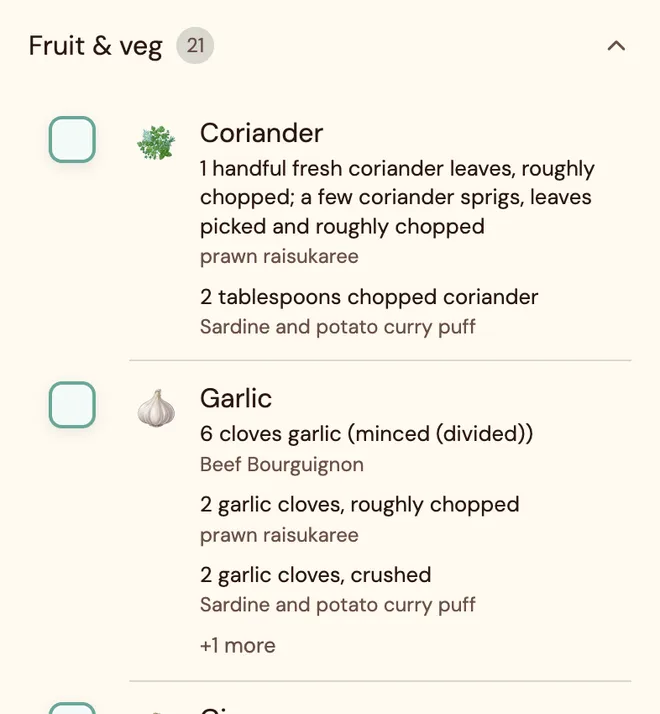
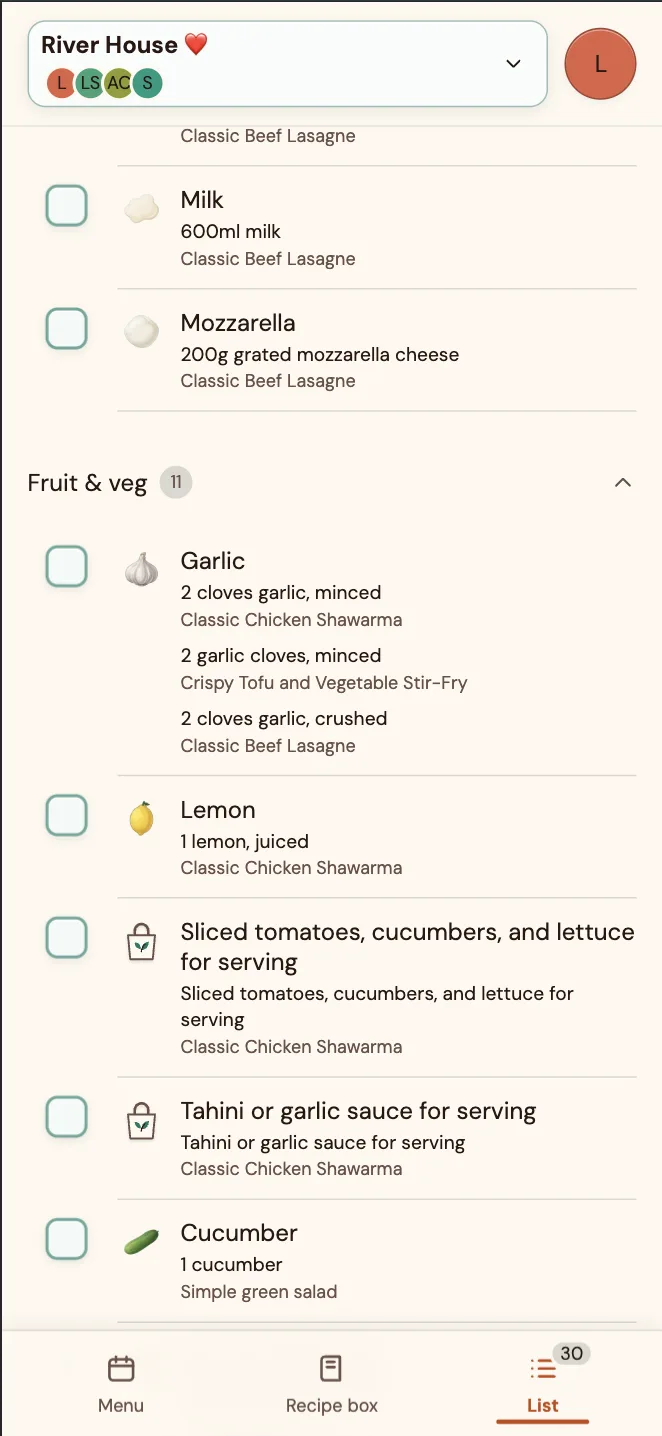
Add recipes to the Menu and their ingredients appear together on one shared Shopping list. When several meals need garlic, see each recipe's amount and prep details on the same row. Tick items off as you shop and everyone can see what's been picked up.

The shared Shopping list shows one Garlic row with amounts and recipe sources from Beef Bourguignon, prawn raisukaree, sardine and potato curry puff, and another recipe.
One garlic row. Every meal’s ingredients together.

Cupboard staples, sorted.

Keep a shared list of the basics your group usually has at home. They stay off the Shopping list until you add one when you need more.

A Sea salt row marked ‘Usually at home · staple’ with a home icon.
Add a staple to the shop when you need it.
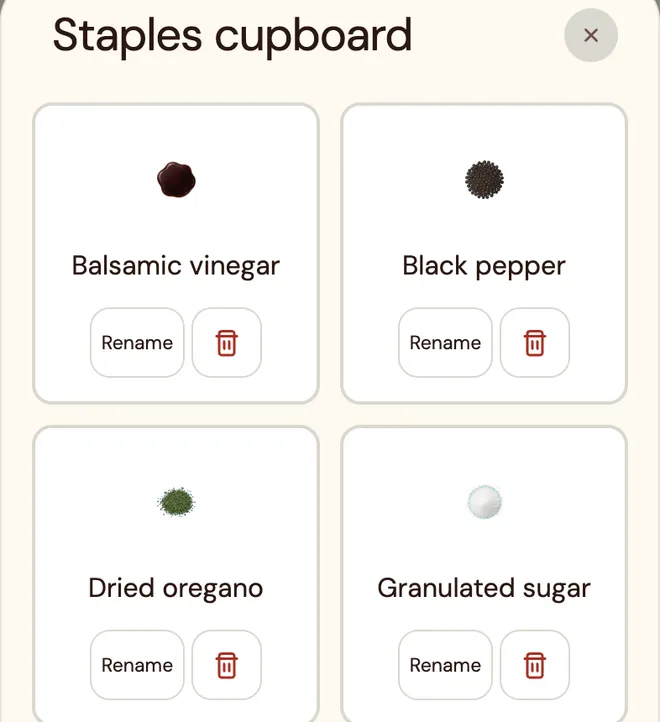
Staples cupboard with balsamic vinegar, black pepper, dried oregano and granulated sugar.
Keep the basics your group usually has at home together.

A good menu, back in one tap.

Save a menu your group liked. When it's time to plan again, add all its recipes to a future Menu at once.
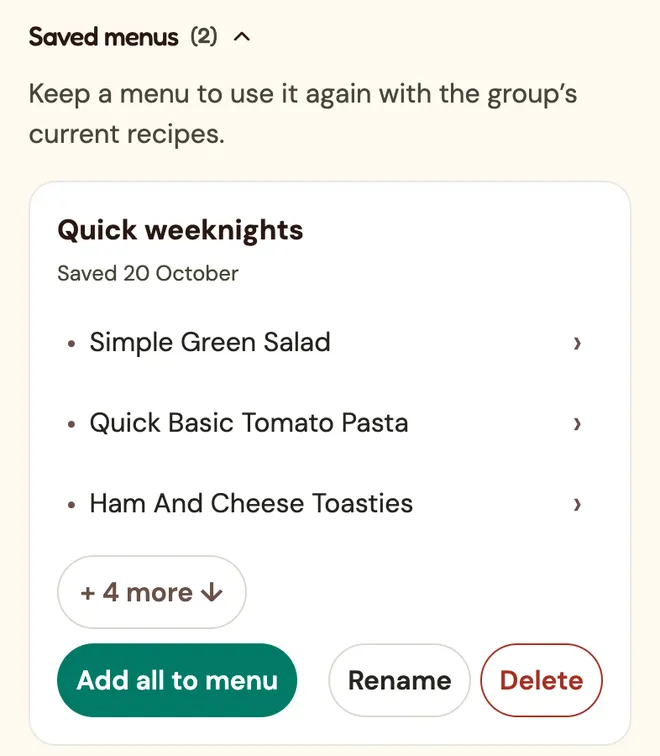
A saved menu named Quick weeknights, with recipe previews and an Add all to menu action.
Start from a menu your group already likes.

Plan together, shop together.

Send a group invite link. People can choose to join the shared Shopping list without creating an account or downloading an app.

Ready to plan dinner together?

Set up your group (free)

Keep Splitdish on your home screen.

On iPhone, open Share, choose “Add to Home Screen”, and leave “Open as Web App” on. On Android, choose “Install app” or “Add to Home Screen” in your browser. No app-store download required.